A personal AI operating system needs a handful of things running all the time: somewhere to track tasks, somewhere automations fire on a schedule, somewhere a knowledge base lives that’s more than a folder of notes, somewhere an agent like Claude Code can keep working when the laptop is closed. The easy path is a subscription for each: a task app, an automation platform, a bookmarking tool, a notes app. It’s convenient, and it adds up to your workflows and your history scattered across five companies’ databases, none of which talk to each other, all billing monthly.
There’s a cheaper and more durable version of the same setup. Rent one small server, run the open-source equivalent of each tool yourself, and put a reverse proxy in front of the whole thing. I built this over several months and it’s now the backbone of my system. It’s less work than it sounds like, and worth doing even if you never touch the infrastructure again after the first setup.
What owning the stack actually buys you
Isn’t paying $10 a month per tool just easier?
One bill instead of five, and it doesn’t grow with the number of tools I add. My VPS costs the same whether it’s running three services or ten.
My data stays in databases I control, in a format I can export, on a machine I can SSH into. No tool disappearing because a company got acquired or decided to sunset the free tier.
Everything can talk to everything else. My knowledge base is a Postgres instance I call OpenBrain, and because it lives on the same box as my task manager and my automation platform, an agent can query all three instead of stitching together three separate APIs, each with its own rate limit and its own outage schedule.
An agent gets a persistent home. Claude Code doesn’t stop working when I close my laptop, because the folder it’s working in lives on a server that’s always on. That’s the difference between an assistant and infrastructure.
Here’s what mine actually looks like
But is this a real system, or a docker-compose.yml with good branding?
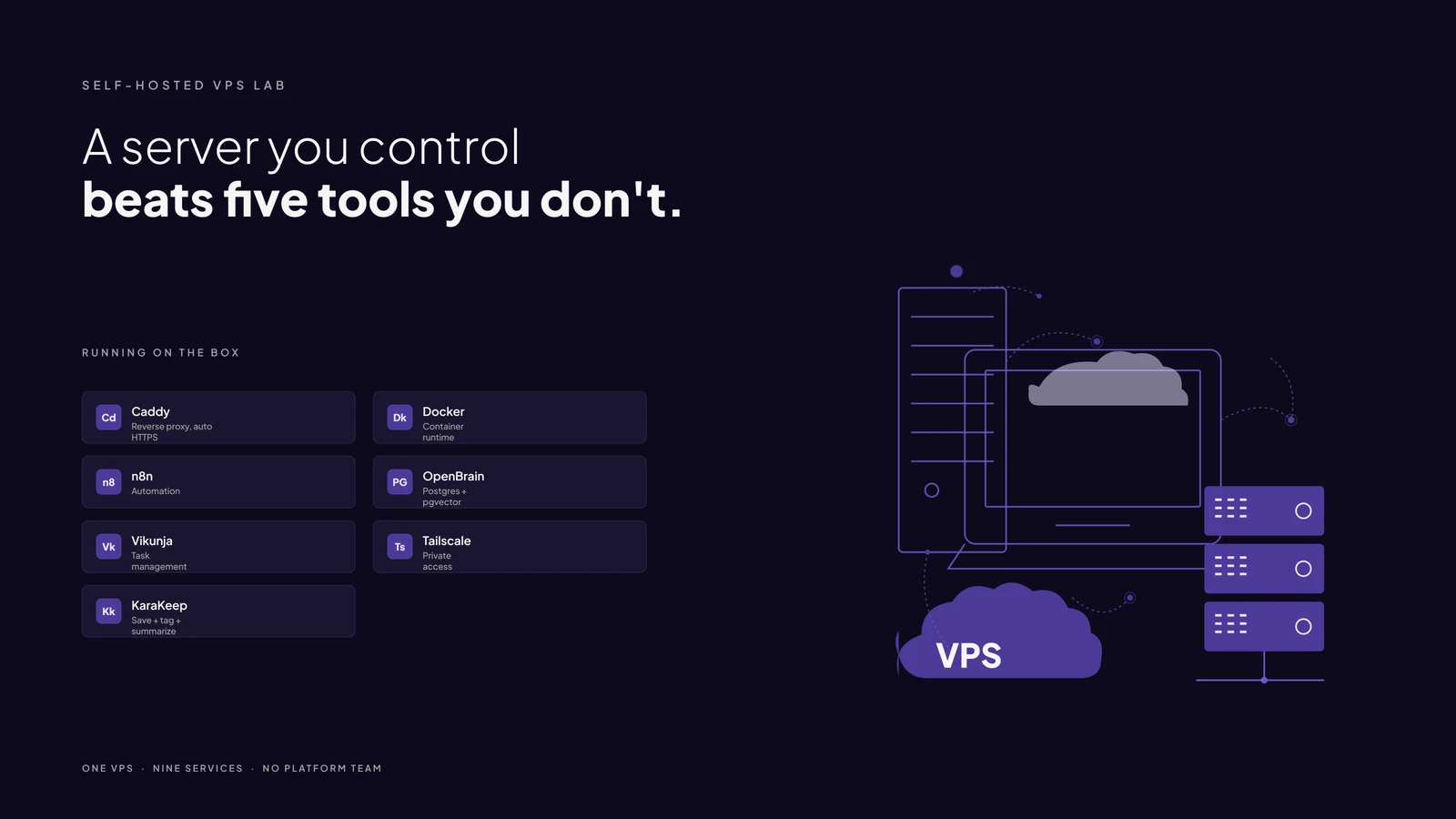
One Hostinger KVM 2: two vCPUs, 8GB RAM, Ubuntu 24.04, sitting in Boston. No Kubernetes, no K3s, just Docker Compose, because Compose is what actually solves the problem I have. Caddy sits in front of everything as the reverse proxy, issuing its own certificates on first request, no certbot, no manual renewal.
Behind Caddy: n8n runs the automation that pulls documents and video transcripts into my knowledge base. KaraKeep tags and summarizes everything I save. Vikunja runs my personal task list, migrated off an Asana workspace I never actually owned since it was licensed through my employer. Syncthing relays my knowledge base between my desktop and my laptop when I’m traveling, with VS Code’s Remote-SSH extension pointed at the VPS so Claude Code has somewhere to work even when I’m not at my desk. Underneath all of it, that Postgres instance running pgvector and PostgREST turns “I mentioned this to someone in June” into an actual search instead of a scroll through six months of notes. Watchtower keeps most of it patched in the background, except the one piece I pinned on purpose: the API layer in front of that database gets reviewed by hand before it moves, not auto-updated overnight.
Nothing here needed a platform team. It needed an evening at a time, spread across several months, and the willingness to read one error message all the way through instead of giving up at the first one.
What self-hosting actually costs you
What’s the catch?
The maintenance is real, but it’s more mundane than dramatic. Caddy’s own configuration used to rely on Docker networks that got attached by hand, and a routine docker compose up -d once dropped all of them at once, taking three services down simultaneously. The fix was making Caddy declare every network it needs explicitly instead of trusting whatever had been wired in manually. That’s the actual shape of a self-hosting outage at this scale: not a crisis, a config file that quietly assumed something that stopped being true. Once it’s fixed, it stays fixed.
Security took less work than I expected, mostly because the same instinct that makes a system easy to reason about also makes it hard to break into. Caddy is the only thing that ever answers on port 80 or 443. Every internal service is bound to localhost behind it. The one exception, direct database access, is restricted by firewall rule to my home IP specifically. A weekly cron job runs a security audit and emails me the result. For remote access, I use Tailscale instead of exposing SSH to the open internet, which puts my VPS, my desktop, and my laptop on one private network, so managing the server while traveling never means opening a port for it.
If you’re thinking about adding one
Start with whichever tool is already costing you the most, whether in money or friction.
For me, that was n8n and Firecrawl, hosting my own websites, and Karakeep, that’s what got the system going. From there I added OpenBrain, and eventually a personal project management app that’s free to self-host.
One small VPS and a reverse proxy later, it all runs in one place, the same server that hosts my websites and runs n8n, the workflow layer behind my AI operating system.
It ended up being more than a weekend of setup, but I got started over a weekend, and within a few weeks I could already see the value.